The UK reported nearly 3,000 SIM swap cases in 2024, representing a staggering 1,055% surge from just 289 incidents the previous year. These attacks, which cost victims approximately $50 million in losses according to the FBI’s 2023 report, exploit mobile carriers’ SIM porting capabilities to hijack phone numbers and access financial accounts.
Understanding SIM swap fraud and conducting a personal security audit are now essential. SIM switching, or SIM card swapping, occurs when thieves convince mobile providers to transfer a victim’s phone number to a device they control. This SIM swap scam enables attackers to bypass SMS-based authentication and access banking, email, and cryptocurrency accounts, underscoring the need for proactive security measures for every mobile user.
Understanding SIM Swap Fraud and Your Vulnerability
What Is SIM Swapping?
SIM swapping, also known as SIM hijacking or port-out fraud, redirects a victim’s mobile service to a SIM card under the attacker’s control. A subscriber identity module holds the mobile network credentials that tie a phone number to voice, SMS, and data services. When criminals convince a carrier to move those credentials to a new SIM, they seize the number without ever touching the victim’s device.
The technique takes advantage of a mobile phone service provider’s ability to easily transfer a phone number to a device with a new subscriber identity module. This mobile number portability feature is typically used when a phone is lost or stolen, or when a customer is switching to a new phone. Depending on the telecoms provider, a phone number port can frequently be launched with only the owner’s name, mobile number, and date of birth.
How SIM Card Swapping Attacks Target Mobile Users?
SIM swap fraud follows a predictable three-stage process. Attackers first use social engineering tactics to gather sensitive personal information about their target. They collect details such as full names, addresses, phone numbers, and account security questions through phishing attacks, data breaches, or social media profiles.
Armed with personal data, criminals contact the mobile carrier’s customer service or visit retail locations to request a SIM transfer. They present themselves as distressed customers who have “lost their phone” or need an “emergency replacement,” often targeting newer employees or high-pressure situations where shortcuts in verification occur. The fraudster may claim that the original SIM card has been lost, stolen, or damaged, and use sensitive information to prove their identity.
In certain situations, attackers have bribed telephone company staff to change SIM numbers directly. Attackers have targeted employees of firms such as T-Mobile and Verizon via social media or employee directories, aiming to bribe them by offering cryptocurrency for each phone number transferred.
Once the swap is complete, the victim’s phone loses network connectivity and may display ‘SOS only’ instead of the carrier name. The fraudster receives all SMS and voice calls, allowing them to intercept one-time passwords sent via text or telephone calls. This access permits systematic compromise of email accounts, banking apps, cryptocurrency wallets, and corporate systems that rely on phone-based verification.
Why Your Phone Number Became a Security Weakness
Phone numbers serve as recovery channels for most online services. Because many services require a recovery phone number to change a password, the fraud allows crooks to gain access to practically any account associated with the hijacked number. Scammers know that phone numbers are linked to bank accounts, social media profiles, email, and more.
SMS-based two-factor authentication, once considered a security improvement, now presents a vulnerability. By controlling a phone number, attackers can intercept verification codes in real time, gaining instant access without a password. Even strong, unique passwords may not provide sufficient protection. Most services offer phone-based recovery options, and if attackers control the number, they can reset passwords, answer security questions, and lock victims out of their own accounts.
Data breaches regularly leak phone numbers and other personally identifiable information, which ends up for sale on the Dark Web. Data brokers and people search sites exploit weak privacy laws to scrape online sources and public records for personal information and sell it to anyone who wants it. In essence, the widespread availability of personal information combined with phone-based authentication has transformed phone numbers from communication tools into master keys for digital identity.
Conducting Your Personal SIM Swap Security Assessment
Assessing personal vulnerability to SIM swap fraud requires examining multiple security layers across mobile carrier settings, authentication methods, account priorities, and public exposure.
Check Your Mobile Carrier Account Security Settings
Mobile carriers typically verify identity using security questions, PINs, or personal details that fraudsters can bypass. A study found that 80% of first attempts at SIM swap fraud were successful, with carriers relying on weak authentication methods as the primary reason. None of the carriers tested required in-person verification or strong multi-factor authentication, allowing fraudsters to execute remote attacks with relative ease.
Logging into a carrier account reveals current protection levels. Most providers offer SIM locks, port freezes, or account-level PINs that require additional verification before any number transfers. Users should contact their mobile carrier to add these protections and request that representatives document the security measures, requiring supervisor approval for any SIM-related changes. Establishing a PIN on an account that cannot be easily determined is essential; accordingly, avoid using the last four digits of a Social Security number, a date of birth, or an anniversary.
Downloading the provider’s mobile app keeps users informed about security updates and alerts. Carriers send one-time passcodes via text message or email when changes are requested, though these notifications only work if attackers haven’t yet completed the swap.
Review Which Accounts Use SMS-Based Authentication
SMS authentication sits at the heart of identity verification efforts for millions worldwide, yet it remains vulnerable to risks such as SIM swapping and SMS interception. Hackers trick phone providers into giving them control of phone numbers, after which they receive authentication codes and access accounts.
Creating an inventory of accounts relying on SMS-based two-factor authentication identifies exposure points. Banking, email, social media, and cryptocurrency platforms commonly use SMS codes. Services offering authenticator apps or hardware security keys provide stronger alternatives; for instance, app-based authenticators generate time-based codes locally on devices without relying on cellular networks. These applications remain functional even when attackers control a phone number.
Identify Your Most Vulnerable High-Value Accounts
Financial institutions, e-commerce platforms, and digital identity providers face particular vulnerability. When attackers control executive phone numbers, they access personal and corporate tax documents, healthcare records, and sensitive client information stored in cloud applications. Remote workers face acute risks because many organisations still rely on SMS-based multifactor authentication for VPN access and cloud productivity tools.
Prioritising accounts requires identifying those that hold financial assets, enable password resets for other services, or contain sensitive personal information. Email accounts deserve special attention as they typically serve as recovery channels for most other services.
Assess Your Social Media Privacy Exposure
Social networking platforms have amplified privacy threats as users increasingly share sensitive information across profiles, content, and social connections. High-risk attributes include email addresses, dates of birth, and mobile numbers. Profile attributes such as names, email addresses, phone numbers, and locations are frequently used in social engineering, phishing, and identity theft.
Attackers collect personal information through social media profiles, data breaches, or phishing campaigns. Full names, addresses, phone numbers, and account security questions allow crooks to successfully mimic victims during carrier contacts. Limiting what appears publicly on social profiles reduces the information available to fraudsters attempting to answer security questions or impersonate account holders.
Warning Signs Your Phone May Be Compromised
Early detection of SIM swap fraud proves critical to limiting damage. Victims who recognise warning signs quickly can prevent unauthorised access to sensitive accounts, whilst delayed responses often result in significant financial losses and identity theft.
Sudden Loss of Mobile Service
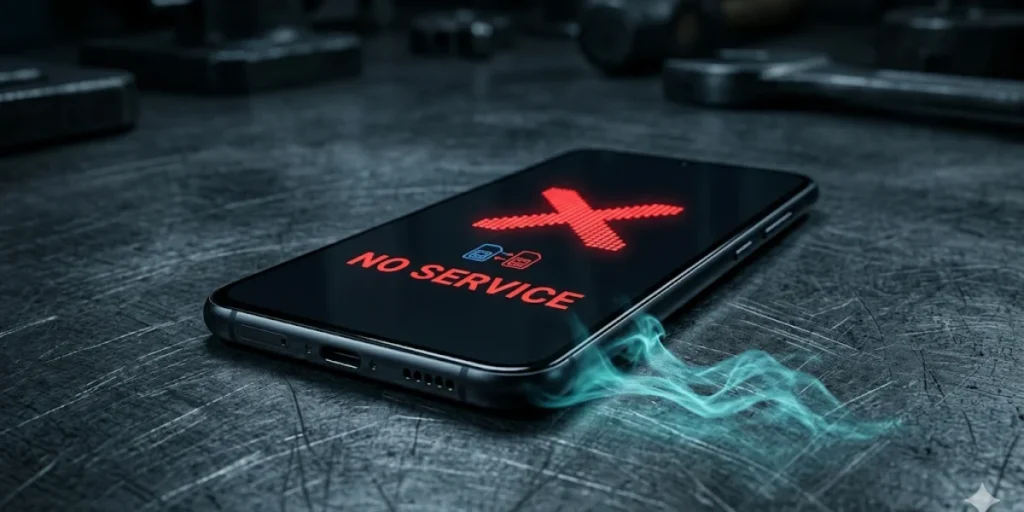
The most jarring indicator appears when a phone suddenly displays ‘No Service‘ without explanation. Calls and texts stop arriving, and the device may show ‘SOS Only’ where the carrier name usually appears. This complete loss of mobile signal occurs because the carrier has transferred the number to a different SIM card, effectively deactivating the legitimate user’s device.
Mobile service disruptions might stem solely from technical issues. Consequently, users should check for additional signs before assuming an attack. The combination of lost service plus security alerts creates what security professionals call the “classic SIM swap smell”. For example, receiving email notifications about SIM changes, eSIM activations, or number transfers alongside service loss indicates high risk.
Attackers move quickly once they control a phone number. In fact, they can reset email passwords and drain accounts fast, making the first ten minutes after service loss critical. Users who cannot confidently rule out SIM swapping within this timeframe should treat the situation as an active attack.
Unexpected Authentication Codes and Account Alerts
Receiving one-time passwords without attempting to log in anywhere signals that someone else knows account credentials and is trying to gain access. These unexpected authentication codes mean attackers have obtained passwords and now face only the second factor of authentication as a barrier.
Password reset emails or login notifications for accounts the user didn’t access represent another clear warning. Some attackers bombard victims with authentication requests, hoping users will either accidentally approve access or disable two-factor authentication out of frustration. The correct response is to deny all unexpected prompts and immediately change the passwords for affected accounts.
Unusual Account Activity You Didn’t Initiate
Blocked access to email, banking, or social media accounts often indicates that attackers have already gained entry and changed credentials. Users may discover they cannot log in despite using the correct passwords, or find themselves automatically logged out across all devices.
Friends reporting suspicious messages, calls, or posts from a user’s number or accounts provide external confirmation of compromise. Similarly, unfamiliar devices appearing in account security settings or login attempts from unexpected locations warrant immediate investigation. Financial institutions may send alerts about unauthorised transfers, whilst email accounts might show messages marked as read that the user never opened.
Implementing Carrier-Level Protection Measures
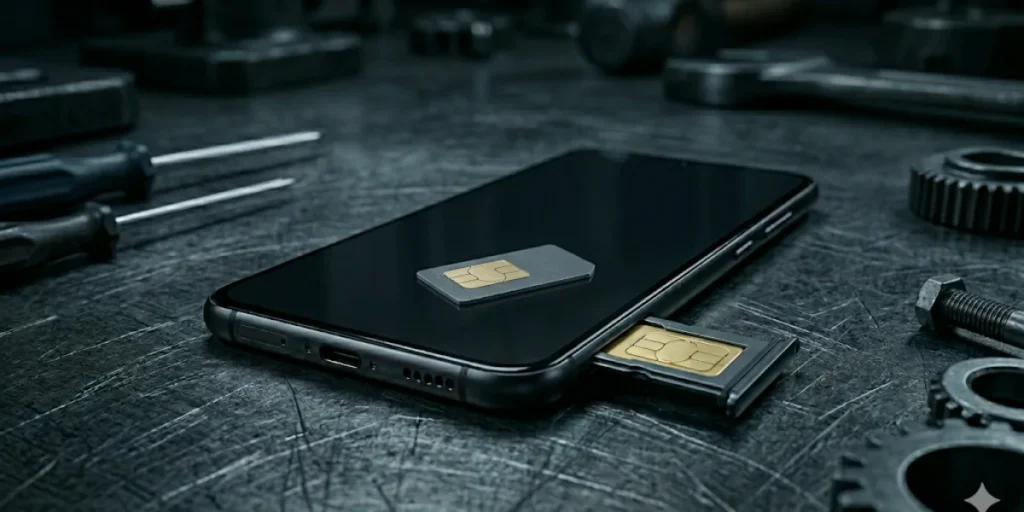
Mobile carriers have introduced specific protections against SIM swap fraud that users must manually activate. These carrier-level defences form the first line of defence against attackers and successful account takeovers.
Adding SIM Protection and Port Freeze Features
Verizon’s SIM Protection blocks all transactions requiring a new SIM, including SIM swaps, upgrades, and bring-your-own-device activations. Protected numbers remain blocked for 15 minutes even after disabling the feature. Similarly, Verizon’s Number Lock prevents unauthorised transfers by blocking the generation of Number Transfer PINs until manually disabled.
AT&T introduced its Wireless Account Lock in July, preventing anyone from moving a SIM card or phone number to another device without authorisation. The feature can be activated through AT&T’s app or online portal. T-Mobile offers SIM Protection for postpaid accounts and Port Out Protection for all customer types, blocking phone number transfers to other carriers.
Setting Up Account PINs and Security Questions
Account PINs authenticate callers contacting customer service, preventing impersonation attempts. Carriers often assign default PINs that attackers easily discover; AT&T uses “1111” by default. Changing these to unique, non-obvious codes strengthens protection against social engineering attacks.
Security questions must balance memorability with obscurity. Questions based on publicly available information, such as birth cities or mothers’ maiden names, offer minimal protection. Stronger questions reference personal experiences, which are difficult to research online. Renewing security questions periodically prevents attackers from exploiting old, compromised answers.
Enabling Multi-Factor Verification with Your Carrier
Carriers now require multi-factor authentication for high-risk transactions, including SIM changes and number ports. These processes verify the identity of the requesting person before processing sensitive account modifications. Authentication methods include SMS codes, email verification, biometric approval, or app-based prompts.
Documenting Your Security Preferences
Recording activated security features provides reference points when contacting support. Users should note which protections are enabled, when PINs were last changed, and preferred authentication methods. Requesting carriers’ document security preferences in account notes adds verification steps that representatives must review before processing changes.
Upgrading to Stronger Authentication Methods
Moving beyond carrier-level defences requires replacing vulnerable authentication methods with stronger alternatives that render SIM swap fraud ineffective.
Replacing SMS Codes with Authenticator Apps
Authenticator apps generate time-sensitive codes directly on devices, without an internet connection or mobile service. Applications such as Microsoft Authenticator, Google Authenticator, and Authy create unique login codes that refresh every 30 seconds. Because codes are generated locally rather than transmitted over networks, sim swapping cannot intercept them. These apps work offline, maintain device-only access, and resist phishing attempts. Setup takes minutes across multiple accounts, whilst encrypted backups prevent lockouts during device changes.
Implementing Hardware Security Keys for Critical Accounts
Physical security keys like YubiKeys provide the highest authentication protection. These devices plug into computers or connect wirelessly, requiring physical presence to grant access. Hardware keys blocked 100% of attacks in Google’s internal deployment, whereas SMS-based authentication blocked only 76-100%. Keys validate the authenticity of the login site, eliminating phishing risks. Costs range from £25 to £120, making them ideal for executives, finance teams, and accounts handling sensitive data.
Creating Backup Access Methods Without Phone Numbers
Backup codes generated during two-factor authentication setup provide emergency access. Users should store these codes in password managers or secure physical locations separate from authentication devices. Multiple registered security keys prevent lockouts, whilst authenticator apps with cloud backup enable multi-device access.
Prioritising Which Accounts Need Immediate Updates
Email accounts require immediate attention as they enable password resets for other services. Financial platforms, payment processors, and cryptocurrency wallets warrant hardware keys. Social media and accounts storing personal information should transition to authenticator apps. Government services and accounts with saved payment details merit upgraded protection.
Conclusion – Sim Swap
SIM swap fraud represents a critical threat to mobile users, particularly as attacks have surged by over 1,000% in recent years. As demonstrated throughout this audit, protection requires layered defences across carrier security settings, authentication methods, and account priorities. Users must actively enable SIM locks, port freezes, and account PINs whilst transitioning away from SMS-based verification. Authenticator apps and hardware security keys provide robust alternatives that render phone number hijacking ineffective. Early detection of warning signs proves essential to limiting damage. As a result, conducting regular security assessments and implementing these protective measures transforms phone numbers from vulnerable master keys into properly secured communication tools.
What exactly is SIM swapping, and how does it work?
SIM swapping is a type of fraud where criminals convince your mobile carrier to transfer your phone number to a SIM card they control. They typically use stolen personal information to impersonate you when contacting customer service, claiming they’ve lost their phone or need an emergency replacement. Once successful, they receive all your calls and text messages, including authentication codes, which they can use to access your accounts.
What are the main warning signs that my phone has been targeted by a SIM swap attack?
The most obvious sign is sudden loss of mobile service, with your phone displaying ‘No Service’ or ‘SOS Only’ where your carrier name usually appears. Other indicators include receiving unexpected authentication codes you didn’t request, password reset emails for accounts you didn’t access, being locked out of your email or banking accounts, and friends reporting suspicious messages from your number.
How can I protect my mobile account from SIM swap fraud?
Contact your mobile carrier to enable SIM protection features such as SIM locks, port freezes, and account PINs. Set up a unique PIN that isn’t easily guessed (avoid using birth dates or the last 4 digits of your Social Security number). Additionally, replace SMS-based two-factor authentication with authenticator apps or hardware security keys for your important accounts, particularly email and banking services.
Which accounts should I prioritise when upgrading my security against SIM swap attacks?
Email accounts require immediate attention as they typically enable password resets for other services. Financial platforms, payment processors, and cryptocurrency wallets should be protected with the strongest security measures, ideally hardware security keys. Social media accounts, government services, and any accounts that store personal information or save payment details also warrant upgraded protection, including at least an authenticator app.