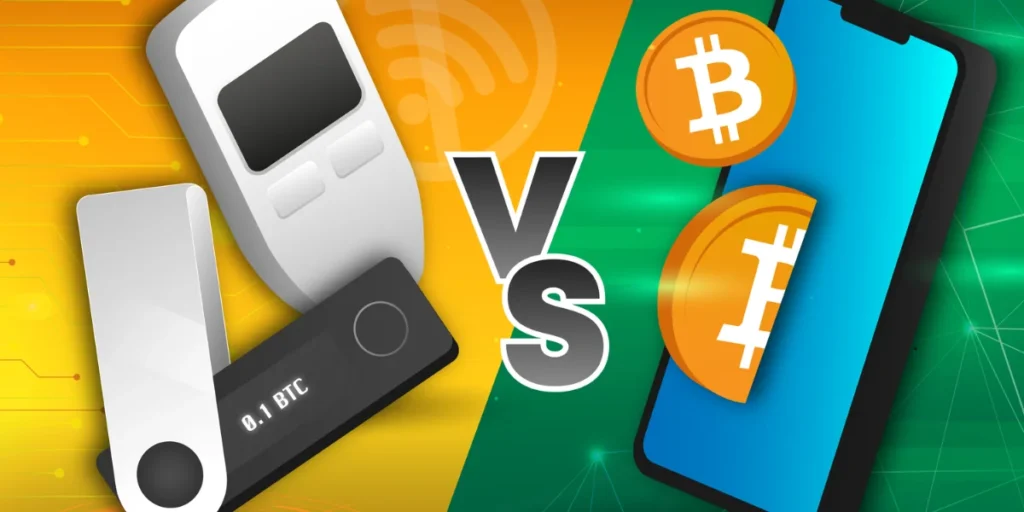
Hardware Wallet vs. Software Wallet is one of the first decisions any crypto holder must make, but the stakes are higher than most people realise. Hardware wallets cost between £50 and £250, whilst software wallets are free. The trade-off, of course, lies in security. Hardware wallets store private keys offline on a dedicated chip, whilst software wallets keep them on internet-connected devices. This guide breaks down how each wallet type works, their key differences, and whether the upfront cost of hardware protection justifies the investment for different holdings and usage patterns.
What Is a Hardware Wallet?
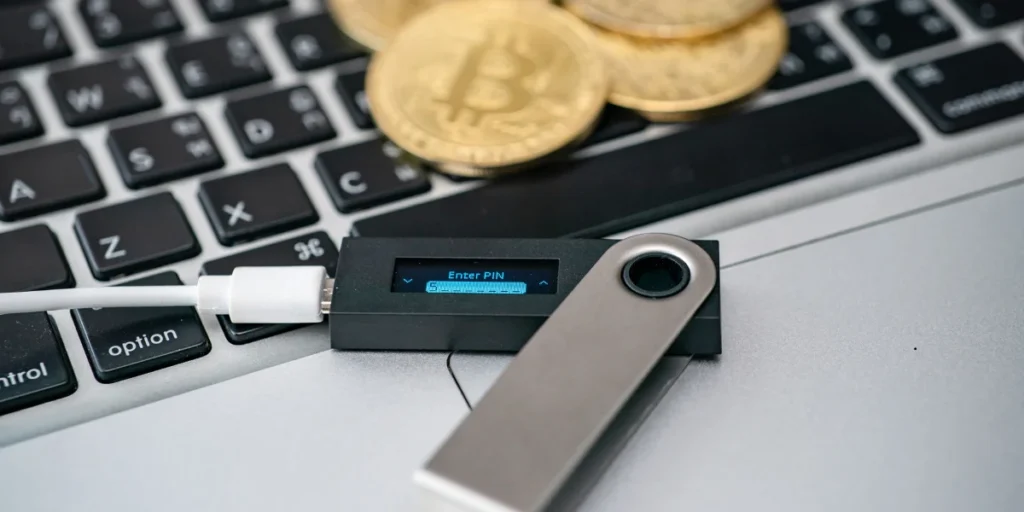
A hardware wallet is a physical device, often resembling a USB thumb drive, that stores cryptocurrency private keys in offline storage. These devices do not contain the actual cryptocurrency. Instead, they secure the cryptographic keys needed to access digital assets on the blockchain. The distinction matters because whilst the blockchain records asset ownership, the private key functions as the password granting access to those holdings.
How Hardware Wallets Work
The operational mechanism centres on keeping private keys isolated from internet-connected devices. When a user initiates a transaction, the hardware wallet receives unsigned transaction data through a process called crypto bridging. The device then signs the transaction internally using the stored private key, without ever exposing that key to the connected computer or smartphone. Once signed, the transaction data returns to the crypto bridge software, which broadcasts it to the blockchain network.
This architecture ensures private keys never leave the physical device. Even if the connected computer harbours malware or has been compromised, the keys remain secure within the hardware wallet’s isolated environment. The device connects to internet-enabled computers only to facilitate transaction signing, not to store keys online.
Types of Hardware Wallets: USB, Bluetooth, and Air-Gapped
USB-type wallets represent the most common format. These connect directly to computers via USB ports and typically feature secure element chips for enhanced protection. Ledger and Trezor dominate this category with devices that resemble standard flash drives but contain dedicated security hardware.
Bluetooth-enabled wallets offer wireless connectivity to mobile devices. This convenience allows users to manage holdings without physical cable connections, though the technology requires power sources such as batteries. Some models combine USB and Bluetooth capabilities for flexibility across different usage scenarios.
Air-gapped wallets eliminate all connectivity options. These devices have no Wi-Fi, Bluetooth, cellular radio, NFC, or USB data connection. Transaction data crosses between the wallet and internet-connected devices exclusively through QR codes scanned by the device’s camera. The ELLIPAL Titan 2.0 exemplifies this category, signing transactions entirely offline before returning signed QR codes for broadcasting. Air-gapped wallets provide maximum security by removing any live data session pathway but add complexity to daily operations.
Security Features of Hardware Wallets
Secure element chips form the foundation of hardware wallet protection. Leading devices use chips certified under Common Criteria standards, typically EAL5+ or EAL6+. These chips undergo independent laboratory testing to assess resistance against voltage glitching, side-channel analysis, and fault injection attacks.
PIN protection adds another security layer. Trezor devices support PINs up to 50 digits long. After each incorrect PIN attempt, the waiting time doubles, and after 16 failed attempts, the device wipes automatically.
Recovery phrases provide backup access. Most hardware wallets generate seed phrases containing up to 24 random words during initial setup. These phrases must be recorded physically in the correct order, as they serve as the master key to all private keys managed by the device.
What Is a Software Wallet?
Software wallets function as applications installed on internet-connected devices such as smartphones, computers, or web browsers. These digital tools interact directly with blockchain networks, allowing users to send, receive, and manage cryptocurrency holdings. Whereas hardware wallets isolate private keys on dedicated chips, software wallets generate seed phrases online and store private keys in an encrypted state on the host device.
How Software Wallets Store Your Keys
The key storage mechanism operates within the device’s browser data store or application memory. When users create a software wallet, the application generates both public and private key pairs locally on the device. The private key remains in encrypted form, protected by passwords or biometric authentication tied to the device’s security systems.
This encryption relies on system-level protections, yet the keys ultimately reside on an internet-connected device. When signing transactions, the wallet software decrypts the private key temporarily in application memory, presents transaction details on the device screen, and prompts user confirmation. Once signed, the transaction broadcasts to the blockchain network whilst the key returns to encrypted storage.
Types of Software Wallets: Mobile, Desktop, and Browser
Mobile wallets install as smartphone applications, offering QR code scanning and near-field communication for physical store payments.
Desktop wallets operate as software installed directly on computers or laptops, granting enhanced control compared to online alternatives. Regular backups become necessary, as device failures or malware can compromise stored assets.
Web wallets function as browser extensions or browser-based platforms, enabling swift access from any internet-connected device. Browser-based wallets excel at connecting with decentralised applications but face heightened exposure to browser-related attacks.
Advantages of Software Wallets
- Free to download, install, and use without upfront costs
- Fast access enabling quick transfers and active trading patterns
- Available across multiple devices with internet connectivity
- Simple interfaces suitable for beginners entering crypto
- Direct integration with decentralised applications and Web3 services
Common Security Risks with Software Wallets
The persistent internet connection creates vulnerability to online attack vectors. Malware operating with system-level privileges can extract private keys directly from device memory or data files. Clipboard hijacking intercepts copied addresses, replacing them with attacker-controlled destinations during pasting.
Screen capture techniques record everything displayed, compromising seed phrase displays and QR code exports. Keylogging software monitors every keystroke, capturing passwords and passphrases during entry. Phishing attacks manipulate users into revealing credentials or seed phrases through deceptive interfaces.
Mobile devices face additional threats from accessibility service exploits and real-time transaction hijacking. Security depends entirely on the host device’s integrity, meaning compromised smartphones or computers directly expose wallet contents. Recovery remains the user’s responsibility in non-custodial setups, with no institutional recourse if keys are lost or stolen.
Hardware Wallet vs Software Wallet: Key Differences
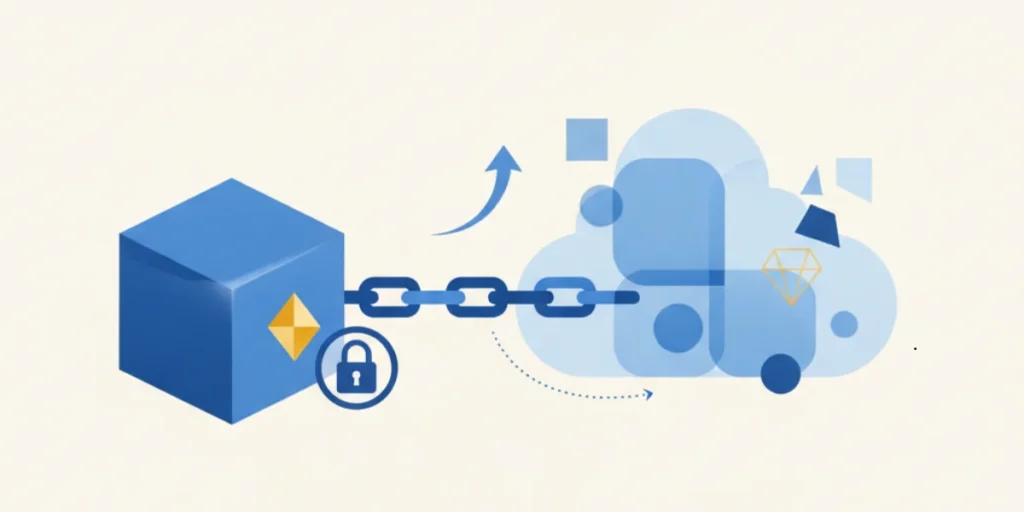
The operational differences between hardware wallet vs software wallet stem from their fundamental architecture, security models, and intended usage patterns.
Where Private Keys Are Stored
Hardware wallets store private keys on dedicated secure element chips that remain offline. The keys never leave this isolated environment, even during transaction signing. Software wallets, in contrast, store private keys on internet-connected phones or computers. Whilst encryption protects these keys at rest, they exist within a device that maintains constant network connectivity.
Security: Offline vs Online Protection
The attack surface differs substantially between both types. Hardware wallets face primarily physical theft combined with PIN compromise, or leaked seed phrases. Remote malware cannot extract keys from offline chips. Software wallets, however, remain vulnerable to phishing attempts, keyloggers, clipboard hijackers, and malicious applications. A compromised browser or operating system can expose wallet data directly. Hardware wallets reduce these risks by keeping transaction signing isolated from the host device.
Convenience and Speed of Transactions
Software wallets enable instant transaction signing within the same interface used to initiate transfers. No secondary device connection is required. Hardware wallets demand physical device access and PIN entry before approving transactions. This adds time to each operation but provides independent verification of transaction details on the device screen.
Cost Comparison: Upfront Investment vs Free Access
Hardware wallets require purchasing physical devices, with prices ranging from £60 to £250. Most mainstream options cost between £70 and £200. Software wallets install free of charge. The cost differential represents payment for dedicated security hardware versus free software access.
Transaction Approval Process
Hardware wallet transactions require confirmation on the device itself, either through button presses or touchscreen interaction. Users verify recipient addresses, amounts, and contract interactions on the trusted display before signing. Software wallets present transaction details within the same app environment where signing occurs, relying on the host device for verification.
Recovery Options for Both Wallet Types
Both wallet types use BIP-39 seed phrases for recovery. These 12- or 24-word phrases restore access when devices are lost or damaged. The seed phrase functions identically across both formats, allowing funds to be recovered on replacement devices of the same type.
When to Use a Hardware Wallet vs Software Wallet
Choosing between hardware wallet vs software wallet depends on specific holding patterns, value thresholds, and interaction frequency with digital assets.
Best Use Cases for Hardware Wallets
Hardware wallets serve holders prioritising security over convenience. Specifically, they suit those managing significant value, generally recommended for amounts exceeding £1,000. Long-term holding strategies benefit most from offline storage, particularly for assets untouched for months or years. Users who have previously experienced hacking attempts or phishing attacks should migrate to hardware protection. Institutional requirements demanding fiduciary duty or compliance standards typically mandate hardware wallet usage. The physical isolation addresses scenarios where protecting investment value matters more than transaction speed.
When a Software Wallet Makes More Sense
Active traders requiring quick access for frequent transactions find software wallets more practical. Holdings under £500 to £650 represent the threshold where convenience outweighs security concerns. Participation in decentralised finance protocols demands regular interaction with applications, making software wallets the natural choice. Users exploring the crypto ecosystem whilst learning benefit from free software access without upfront investment. Daily spending scenarios, where crypto functions analogous to physical cash, suit software wallet architecture.
Portfolio Size Considerations
Portfolio allocation strategy typically splits holdings between both wallet types. The recommended distribution places 80-90% of total value in hardware wallets for long-term savings, whilst 10-20% remains in software wallets for active use. This approach secures the majority of assets offline whilst maintaining convenient access to operational funds. In the event that losing a balance would genuinely hurt financially, cold storage becomes necessary. Holders accumulating meaningful positions should transition to self-custody through hardware devices, even if starting with exchange storage.
Trading Frequency and Daily Usage Patterns
Daily transaction patterns determine optimal wallet selection. Frequent movers executing multiple transactions weekly find hardware wallet confirmation steps impractical. In contrast, buy-and-hold strategies align perfectly with hardware wallet design, as these devices were built specifically for long-term storage. Software wallets function as spending accounts, analogous to current accounts for everyday purchases, whereas hardware wallets serve as savings vaults. Users regularly moving profits should transfer gains back to cold storage, treating software balances as temporary operational funds.
Using Both Hardware and Software Wallets Together

Experienced crypto holders rarely choose between hardware wallet vs software wallet exclusively. Instead, they implement both strategically, balancing security with accessibility.
The Two-Wallet Strategy Most Holders Use
The cold vs hot wallet combination has become standard practise amongst seasoned holders. This approach designates hardware wallets for long-term savings whilst software wallets handle active trading and daily transactions. Hot wallets facilitate quick spending and swapping, whereas cold storage protects larger holdings. Some platforms now offer hardware wallet integration directly within software interfaces, allowing users to access Web3 whilst keeping private keys offline.
How to Split Your Holdings Between Wallets
The recommended allocation places 80-90% of portfolio value in hardware wallets, with 10-20% remaining in software wallets. This distribution secures the bulk of assets offline whilst maintaining convenient access to operational funds. Holders transfer smaller amounts to software wallets as needed, treating them as spending accounts rather than storage vaults. Profits should move regularly back to cold storage.
Setting Up Your Hardware Wallet Correctly
Initial setup requires generating and recording a recovery phrase, typically consisting of 12-24 random words. These words must be written on paper in exact order and stored securely, separate from the device. Never store recovery phrases digitally or photograph them. The device also requires PIN configuration during initialisation.
Moving Funds Between Software and Hardware Wallets
Transfers begin by generating a receive address within the hardware wallet’s companion app. Users then initiate withdrawal from their software wallet, pasting the hardware wallet address and specifying the amount. Sending a small test amount first verifies address accuracy before transferring larger sums. Network confirmation times vary from minutes to an hour depending on congestion.
Conclusion – Hardware Wallet vs. Software Wallet
The hardware wallet vs software wallet debate doesn’t require choosing just one option. Most experienced holders use both strategically. For holdings exceeding £1,000, hardware wallets provide essential protection worth the upfront cost. Active traders and those managing smaller amounts benefit from software wallet convenience without significant risk.
The sweet spot involves keeping 80-90% of portfolio value in hardware storage whilst maintaining 10-20% in software wallets for daily transactions. This split delivers security where it matters most whilst preserving quick access to operational funds. Your specific needs determine the right approach. Portfolio size, transaction frequency, and risk tolerance should guide the decision rather than following a universal rule.
You May Also Want to Check Out: Fintech Explained: How Technology Is Reshaping Money, Banking, and Payments
What is the main difference between hardware and software wallets?
Hardware wallets store your private keys on a physical device that remains offline, typically costing between £50 and £250. Software wallets are free applications that store keys on internet-connected devices like smartphones or computers. The key distinction lies in security versus convenience—hardware wallets offer superior protection through offline storage, whilst software wallets provide faster access for frequent transactions.
How much cryptocurrency should I hold before getting a hardware wallet?
Hardware wallets are generally recommended once your holdings exceed £1,000. For amounts under £500 to £650, software wallets typically provide sufficient security whilst offering greater convenience. If losing your balance would genuinely hurt you financially, it’s time to consider cold storage through a hardware wallet, regardless of the specific amount.
Can I use both hardware and software wallets together?
Yes, using both types together is actually the recommended approach. Most experienced holders keep 80-90% of their portfolio value in hardware wallets for long-term security, whilst maintaining 10-20% in software wallets for active trading and daily transactions. This strategy balances maximum security for your main holdings with convenient access to operational funds.
Are software wallets safe enough for everyday use?
Software wallets are suitable for everyday transactions and smaller amounts, but they face security risks from malware, phishing attacks, and keyloggers because they operate on internet-connected devices. They work well as “spending accounts” for active trading and regular transactions, provided you don’t store significant value in them long-term and maintain good device security practises.
How do I transfer cryptocurrency between my software and hardware wallets?
To move funds, first generate a receive address in your hardware wallet’s companion app. Then initiate a withdrawal from your software wallet, paste the hardware wallet address, and specify the amount. It’s advisable to send a small test amount first to verify the address is correct before transferring larger sums. Confirmation typically takes anywhere from a few minutes to an hour depending on network congestion.