The paper wallet vs hardware wallet debate has shifted dramatically since 2013, when printing private keys was considered state-of-the-art cold storage. Whilst paper wallets are a form of cold storage disconnected from internet-accessible devices, they now carry significant risks compared to modern alternatives. Today, hardware wallets have made paper wallets functionally obsolete, offering superior protection against both digital and physical threats. This guide examines both wallet types, their security differences, and why transitioning from paper to hardware storage might be the safer choice for your cryptocurrency in 2026.
What Is a Paper Wallet?

A paper wallet stores cryptocurrency offline by printing both public and private keys on physical paper. The public key functions as the receiving address, whilst the private key provides access to spend the funds. These keys appear as QR codes alongside their alphanumeric equivalents, allowing users to scan rather than manually input long character strings.
How Paper Wallets Work
Paper wallets operate through public-private key cryptography. The public key allows anyone to send cryptocurrency to the wallet address, similar to sharing a bank account number. The private key, however, must remain confidential as it grants complete control over the funds.
The wallet exists entirely offline, classifying it as cold storage. No digital component connects to the internet, protecting against malware, phishing attempts, and exchange breaches. Physical possession becomes the sole security requirement. Without the private key, accessing the funds proves impossible, even for sophisticated attackers.
To receive cryptocurrency, users share their public address or QR code. Sending funds requires importing the private key into software wallet applications like Electrum or Mycelium, which can scan the QR code or accept manual key entry.
Creating a Paper Wallet: The Process
Generation begins with downloading an open-source tool such as BitAddress or WalletGenerator as an HTML file. The computer must disconnect from the internet before running the generator to prevent online interception of the keys. Some users employ brand-new laptops never connected to networks, or boot from live USB drives with clean operating systems for additional security.
The generator creates random key pairs through user interaction. Moving the mouse cursor or typing random characters introduces entropy into the randomisation process. Alternatively, analogue methods like dice rolls can generate truly offline random numbers, though this approach requires considerably more time.
After generation, the keys are printed on paper using a non-networked printer. Laser printers or pigment-based inkjet models work best, as they resist fading better than standard inkjet output. The printer’s internal memory presents a vulnerability, as some models store copies of printed documents. Users concerned about this risk may write keys manually, though transcription errors pose their own dangers.
Security measures include laminating the printed wallet, storing copies in geographically separate locations, and using fireproof safes or safety deposit boxes. The paper never exposes itself to online environments after creation, maintaining its cold storage status.
When Paper Wallets Made Sense
Paper wallets emerged around 2011 as Bitcoin’s first cold storage solution. Early software wallets connected to the internet, leaving users vulnerable when computers were compromised. Printing private keys offered protection from cyber threats during Bitcoin’s growth through the early 2010s.
The method provided cost-free, simple security for long-term holders who rarely moved funds. No specialised hardware was required, making it accessible to anyone with a printer. For users prioritising maximum isolation from online systems, paper wallets delivered exactly that.
Their popularity declined after 2016 as hardware wallets entered the market. Physical fragility, environmental damage risks, and operational limitations exposed weaknesses that modern alternatives addressed more effectively.
What Is a Hardware Wallet?
Hardware wallets function as dedicated electronic devices that store private keys in isolated, offline environments. Unlike paper wallets, these physical devices resemble USB drives and contain specialised computer chips designed solely for cryptocurrency security. The device never holds the cryptocurrency itself, instead safeguarding the cryptographic keys that grant access to blockchain-based assets.
How Hardware Wallets Work
Transaction signing occurs entirely within the hardware wallet through a process called crypto bridging. When spending cryptocurrency, the unsigned transaction data transfers from an internet-connected computer to the hardware wallet. The device signs the transaction internally using the private key, then sends the signed transaction back to the computer for blockchain broadcast.
This architecture protects against compromised computers. Even if malware infects the connected device, the private keys remain secure inside the hardware wallet. The device interfaces with computers or smartphones only when needed, maintaining offline storage otherwise. Analogous to a bank vault that opens briefly for specific transactions, the hardware wallet exposes keys momentarily for signing but keeps them isolated from internet threats.
Key Components of Hardware Wallets
Computer chips form the foundation of hardware wallet security. Secure Element (SE) chips, identically used in credit cards and passports, provide the highest level of protection. These chips carry Common Criteria EAL6+ certification, indicating they withstand sophisticated physical and logical attacks. Leading models like Ledger Flex and Trezor Safe 5 incorporate EAL6+ certified chips.
The Secure Element performs multiple functions. It generates private keys using cryptographically secure random number generation. It stores these keys in tamper-resistant hardware specifically engineered to prevent extraction. Additionally, the SE chip drives the device’s display in premium models, creating a trusted screen that malware cannot manipulate.
Operating systems manage the device’s functions. Ledger devices run BOLOS (Blockchain Open Ledger Operating System), whilst Trezor Safe devices use open-source firmware. These operating systems isolate applications from each other, preventing compromised apps from accessing private keys. The Trezor Safe 3 and Safe 5 employ a two-chip design, pairing a Secure Element with a microcontroller.
Some manufacturers prioritise transparency through open-source code. Trezor publishes all firmware for public audit, allowing security researchers to verify the implementation. Others use closed-source Secure Element software programmed by chip manufacturers like Infineon.
Modern Hardware Wallet Features
PIN protection serves as the primary access control. Trezor devices support PINs up to 50 digits long. Failed PIN attempts trigger escalating time delays, with the device automatically wiping itself after 16 incorrect tries. This mechanism renders stolen devices nearly useless to unauthorised users.
User interfaces vary across models. The Trezor Safe 5 and Ledger Flex feature touchscreens for PIN entry and transaction confirmation. Button-based models like Trezor Safe 3 provide tactile feedback without touchscreen complexity. Premium devices incorporate E Ink displays that consume minimal power whilst remaining readable.
Multi-asset support has become standard. Most hardware wallets manage Bitcoin, Ethereum, and thousands of tokens across multiple blockchains. The devices generate separate private keys for each blockchain, all protected by a single recovery phrase. This phrase, typically 24 words, serves as the master backup for all keys.
Air-gapped models like SafePal S1 Pro use QR code scanning instead of USB connections, eliminating any physical data channel to internet-connected devices.
Related Article: Choosing the Best Crypto Hardware Wallets: What Security Testing Reveals About Popular Devices
Paper Wallet vs Hardware Wallet: Security Comparison
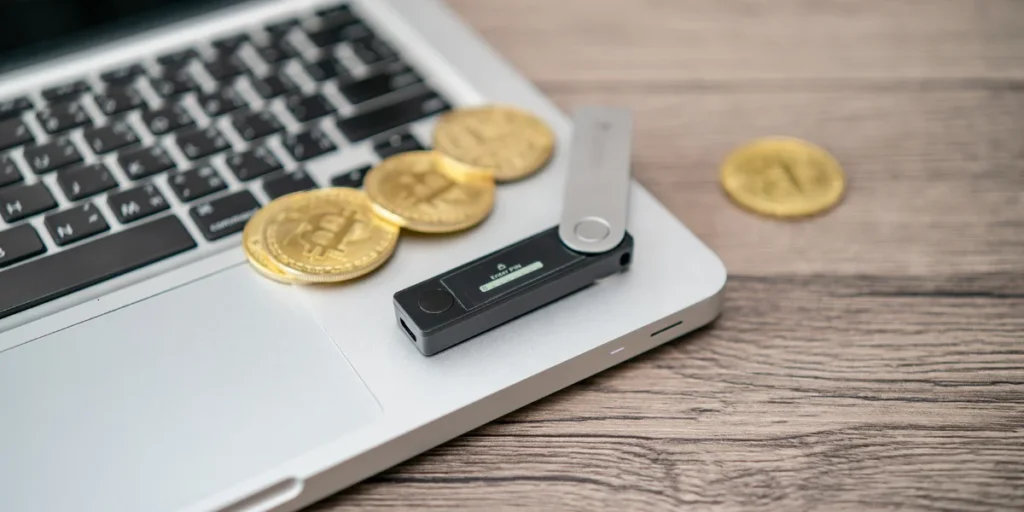
Both paper wallets and hardware wallets qualify as cold storage, keeping private keys offline and immune to remote hacking attempts. However, operational security reveals stark differences when comparing how each handles real-world threats.
Offline Storage: Paper vs Hardware
Paper wallets maintain absolute offline status once generated and printed. The keys exist solely on physical paper, creating complete isolation from networked devices. Hardware wallets similarly generate keys inside secure element chips that never connect directly to the internet. The distinction emerges during usage. Paper wallets require importing the private key into software wallets to spend funds, exposing the key online during transactions. Hardware wallets sign transactions internally and return only the signed data, keeping keys permanently offline even when spending.
Protection Against Physical Theft
Paper wallets openly display private key information in both text and QR code formats. Anyone who photographs, copies, or reads the paper gains immediate access to the funds with no additional barriers. In contrast, hardware wallets employ PIN protection that prevents unauthorised access even if the physical device falls into the wrong hands. Failed PIN attempts trigger escalating time delays, with devices wiping themselves after multiple incorrect tries. This creates plausible deniability absent from paper wallets, where possession equals complete control.
Vulnerability to Environmental Damage
Ink fades through sunlight exposure and humidity over time. A private key that becomes partially unreadable after years of storage cannot be recovered through any means. If the only paper wallet copy burns in a house fire, the funds disappear permanently. Creating multiple copies for redundancy introduces additional theft exposure points. Hardware wallets address this through durable metal seed backup systems resistant to fire, water, and physical damage. The device itself can fail or break, but the recovery phrase restores access through replacement hardware or compatible wallet software.
Resistance to Digital Threats
Generation compromise represents a significant paper wallet vulnerability. Private keys created on internet-connected computers risk malware interception during creation. Printers connected through Wi-Fi store document copies in internal memory, allowing network access to retrieve printed wallet data. Even USB-connected printers retain files that knowledgeable attackers can extract. Hardware wallets generate keys inside certified secure element chips with cryptographically secure random number generation, eliminating exposure to compromised computers during creation.
Backup and Recovery Options
Paper wallets function as single points of failure. Loss, damage, or destruction means permanent fund loss with no recovery mechanism. Hardware wallets implement hierarchical deterministic (HD) recovery systems using standardised BIP-39 seed phrases. These 12-24 word phrases restore all keys and accounts across any compatible wallet provider. The seed itself requires protection, but multiple backup methods exist, including metal plates designed for extreme durability. This standardisation across the industry provides flexibility paper wallets cannot match.
Paper Wallet Risks You Need to Know
Understanding the failure points of paper wallets reveals why hardware alternatives have gained dominance. These risks span the entire lifecycle, from creation through long-term storage.
Printer Memory and Network Exposure
Most consumer printers retain documents in internal memory buffers. A networked printer exposes private keys over Wi-Fi, even if disconnected after printing. Modern printers store job data in unencrypted form on internal drives. Shared printers in offices, libraries, or internet cafes create centralised logs accessible to IT administrators. Wi-Fi-capable printers connected briefly for firmware updates introduce network attack surfaces that remain even after disconnection. The generation website itself poses risks if loaded from the internet rather than downloaded for offline use.
Single Point of Failure Risk
Paper wallets lack built-in redundancy. No seed phrase exists to restore from, no hardware backup, and no cloud recovery mechanism. One piece of paper stands between the holder and permanent loss. Creating multiple copies for fire protection introduces additional theft exposure. Each backup copy represents another potential compromise point. Unlike hardware wallets with standardised recovery systems, paper wallets offer no second chance after destruction.
The Partial Spend Problem
Bitcoin’s UTXO model consumes the entire unspent output when spending. Sending part of a balance routes the remainder to a change address generated by wallet software. Users who import paper wallet keys without understanding this mechanism permanently lose change sent to addresses they don’t control. Correspondingly, early blockchain implementations sent full balances forward, returning change to newly generated addresses rather than the original paper wallet address. This technical misunderstanding has caused significant historical losses.
Physical Deterioration Over Time
Paper degrades through fading, tearing, water exposure, and fire. Ink bleeds in humid conditions and fades under sunlight. A private key that becomes unreadable results in permanent fund loss. One user reported losing AUD 76,449.51 after laminated paper stuck together in a humid basement and tore apart. No customer support or recovery option exists for degraded keys.
No Protection Against Human Error
Anyone who photographs or reads the private key gains immediate access to funds. Typos in hand-copied keys invalidate the entire private key permanently. Lost BIP38 encryption passphrases render encrypted keys unspendable. Users forget storage locations, printers malfunction during key generation, and QR codes print incorrectly without detection.
How to Safely Transition From Paper to Hardware Wallet

Moving funds from paper storage to hardware protection requires careful execution across four distinct stages. This process eliminates the vulnerabilities inherent in paper wallet vs hardware wallet comparisons.
Step 1: Set Up Your Hardware Wallet
Purchase hardware wallets exclusively from official manufacturer websites or authorised retailers. Second-hand devices carry unnecessary security risks. Download the companion software (Ledger Live for Ledger devices, Trezor Suite for Trezor models) directly from the manufacturer’s website. Connect the device via USB cable or Bluetooth, then select “Set up as new device” in the software.
Create a PIN code between four and eight digits using the device’s physical buttons. The device generates a 24-word recovery phrase displayed one word at a time. Write these words on the provided recovery card in exact order, checking each word carefully. This seed phrase restores all keys if the hardware fails, making it more critical than the device itself.
Step 2: Import Your Paper Wallet Key
Direct transfer from paper wallets to hardware wallets remains impossible on most devices. An intermediate software wallet like Electrum, Mycelium, or Coinomi serves as the bridge. Download the software wallet and locate the “Sweep Paper Wallet” or “Import Private Key” function, typically found in Settings or Tools menus.
Scan the paper wallet’s private key QR code using the software’s camera function, or manually enter the alphanumeric string. Sweeping proves safer than importing, as it transfers the entire balance to a new address and permanently empties the paper wallet. Importing leaves the private key active, creating ongoing security exposure.
Step 3: Transfer Your Full Balance
Select the maximum balance option when initiating the sweep transaction. Partial sends trigger Bitcoin’s change address mechanism, potentially routing remaining funds to addresses outside your control. Wait for network confirmation, which may require several minutes to hours depending on blockchain congestion.
Step 4: Verify and Destroy the Paper Wallet
Confirm the transaction appears in your hardware wallet with at least one blockchain confirmation. Once verified, the paper wallet becomes a liability requiring complete destruction. Cross-cut shredders provide effective disposal, cutting paper in two directions into unreadable fragments. Burning offers more definitive destruction where safely permitted.
Conclusion – Paper Wallet vs Hardware Wallet
The paper wallet vs hardware wallet debate has a clear winner in 2026. Hardware wallets provide superior security, particularly through PIN protection, tamper-resistant chips, and standardised recovery systems. Paper wallets, on the contrary, expose users to printer vulnerabilities, environmental damage, and permanent loss risks without recovery options.
Hardware wallets cost money upfront, yet they eliminate the single point of failure that paper storage creates. Users holding significant cryptocurrency amounts need robust protection against both digital and physical threats. Transitioning from paper to hardware storage represents a necessary upgrade, not an optional improvement, for anyone serious about long-term cryptocurrency security.
Check Out Our Detailed Guide The Bitcoin 4-Year Cycle.
Are paper wallets still a safe option for storing cryptocurrency?
Paper wallets can be safe if generated completely offline and stored in secure, protected conditions. However, they’re vulnerable to physical damage, environmental deterioration, and permanent loss without any recovery mechanism. If the paper is destroyed, faded, or lost, your funds are gone forever with no backup option available.
Which wallet type offers the best protection against hacking attempts?
Hardware wallets provide the strongest protection against hacking because they store private keys offline in tamper-resistant chips. Even when connected to a compromised computer, the private keys never leave the device—only signed transactions are transmitted. This makes remote hacking virtually impossible compared to other wallet types.
Can you transfer cryptocurrency directly from a paper wallet to a hardware wallet?
Direct transfers aren’t possible on most hardware wallets. You’ll need to use intermediate software wallet applications like Electrum or Mycelium to sweep the paper wallet’s private key first. The safest approach is to sweep the entire balance (not partial amounts) to avoid Bitcoin’s change address complications, then transfer everything to your hardware wallet before destroying the paper wallet completely.