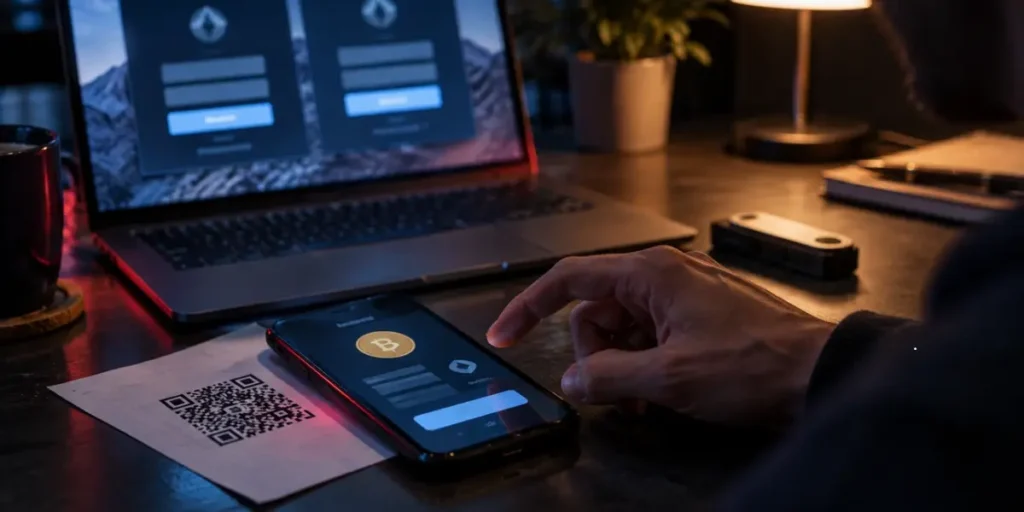
Crypto phishing can turn one convincing message into an irreversible loss when fake exchanges, wallet sites or QR codes appear genuine. In 2025, crypto scams generated an estimated $17 billion in losses, while AI-enabled schemes earned 4.5 times as much per operation as traditional fraud.
What is phishing, what is a phishing scam, what are phishing attacks, and how does phishing work when attackers target exchange logins, seed phrases or wallet approvals? This guide explains the phishing attack techniques investors should recognise in 2026, plus how to spot deepfake endorsements and respond after clicking, signing or sharing wallet details.
What Is Phishing, and How Does It Steal Crypto?

A phishing attack begins with impersonation. The criminal presents a familiar exchange, wallet provider, project, company or person, then creates a reason for the investor to respond. The message may claim that an account has suspicious activity, a wallet has been compromised or a verification step must be completed. In reality, the message directs the recipient towards a fake website, telephone number, application or wallet interaction.
What is phishing? Phishing is fraud that persuades a person to disclose information or authorise an action for the attacker’s benefit. Crypto phishing targets exchange credentials, wallet details, seed phrases and transaction approvals. The method may arrive through email, text message, social media, Discord, Telegram or a compromised account belonging to someone the investor knows.
How Fake Messages Lead to Stolen Exchange Logins
A typical phishing attack follows a short sequence. The criminal first establishes trust by copying a company’s name, visual identity or sender details. Some messages even appear in an existing legitimate message thread when the sender name or number has been spoofed. The message then adds pressure, often using terms such as “account compromised”, “unauthorised transaction” or “suspicious activity”.
The supplied link leads to a lookalike exchange page. It may copy the legitimate platform’s colours, logos and sign-in form, but the domain sends the entered details to the attacker. Once the investor submits an email address, password or verification code, the criminal can attempt to enter the real account. A stolen exchange login may provide access to stored crypto, withdrawal functions and personal account information.
Another key point is that a genuine exchange does not need an investor’s password or seed phrase to provide support. A request to transfer crypto to a “safe” or “trust” wallet also indicates impersonation. The address belongs to the criminal, so the transfer moves assets directly under their control. Cryptocurrency transfers do not pass through a third party for authorisation and normally cannot be reversed.
Investors should understand how phishing works at the account level and at the wallet level. An exchange login is an account credential. A seed phrase, by contrast, controls a self-custodial wallet. The two forms of theft require different responses.
Seed Phrase Theft Versus Malicious Wallet Approvals
A seed phrase is used to restore access to a wallet. If an investor enters it into a fake wallet website, restoration form or malicious application, the attacker can control the wallet and move its assets. No legitimate wallet service needs the phrase for routine verification. Unlike a password, a compromised seed phrase cannot be revoked. The remaining assets must move to a newly created wallet with a new phrase.
A malicious wallet approval works differently. The investor keeps the seed phrase private but signs a request that gives a particular decentralised application or smart contract permission to move a token. The permission may apply to one token, one network and a stated amount, although some requests seek unlimited access. The approval itself may not move funds immediately. Later, the authorised contract can transfer the permitted tokens without another obvious confirmation.
Therefore, seed phrase theft grants broad control over the wallet, whereas an approval grants defined contract permissions. An approval can be reviewed and revoked, but revocation does not recover assets already transferred. If a signing request displays unreadable code, an excessive allowance or an action unrelated to the stated purpose, the investor should reject it. This distinction explains why crypto phishing can succeed even when a seed phrase remains offline.
Crypto Phishing Attacks Investors Should Recognise in 2026
Different delivery channels produce different forms of crypto phishing, but each attack seeks either account access, wallet control or an authorised transfer.
Fake Exchange Support and Account Suspension Alerts
A common alert claims that an exchange account or crypto wallet has been compromised. It may mention an unauthorised transaction, suspicious activity or imminent suspension, then provide a link or telephone number for “verification”. Some messages spoof the sender identity and appear inside a genuine exchange message thread.
The supposed support agent may request a password, security code, seed phrase or transfer to a “trust” wallet. That wallet belongs to the criminal. The National Anti-Scam Centre recorded more than 16,700 phishing reports between 1 January and 23 March 2025, with losses of AUD 16.97 million; over 75% of those losses involved cryptocurrency phishing. A genuine provider will not ask for a seed phrase or instruct an investor to move funds under pressure.
Airdrop Scams and Wallet-Draining Websites
Airdrop scams advertise free tokens, NFT rewards or compensation after a project incident. The link leads to a site that imitates a recognised crypto project and asks the visitor to connect a wallet, scan a QR code or approve a transaction.
The page may display familiar branding while hidden scripts request broad token permissions. Once signed, a drainer can transfer permitted assets, sometimes immediately and sometimes after checking whether the wallet contains valuable tokens. Thus, a transaction described as a claim or mint may authorise asset transfers instead. A mystery token that appears in a wallet can use the same tactic when an investor attempts to sell it.
Spear Phishing Aimed at Known Crypto Holders
Spear phishing selects a person rather than sending the same message to thousands of recipients. Criminals gather details from public profiles, investment discussions, company pages or compromised accounts, then mention a known exchange, token or recent transaction.
For instance, a message may appear to come from a project administrator and offer early access to a sale. Another may impersonate a colleague who knows the investor’s role in managing digital assets. Personal details make the request credible, while urgency pushes the recipient towards a login page, attachment or wallet approval. AI reduces the time needed to write such tailored messages from 16 hours to five minutes.
QR Code Phishing in Emails and Letters
QR code phishing, or quishing, hides the destination inside an image. A letter, invoice or email may request an account check, payment or security confirmation. Scanning opens a spoofed login page, a harmful download or a fake payment portal.
Unlike an ordinary link, the code conceals the web address before scanning. Criminals can also place a replacement sticker over a legitimate code in a public location. A scanner preview may reveal a misspelt domain or shortened link, so the investor should inspect it before proceeding and use the official website instead where possible.
AI-Generated Messages and Deepfake Endorsements
AI-generated writing can remove spelling errors and reproduce a familiar tone, making a phishing attack appear to come from an exchange employee or known contact. Deepfake videos, cloned voices and fake news articles extend the same impersonation to social media.
A celebrity image does not prove that a platform is genuine. ASIC removed more than 330 investment scam websites using celebrity images during part of 2025, a 25% increase on the comparable period. These promotions often promise large or guaranteed returns through fake trading platforms or “AI trading bots”. Check the claim through the person’s official channels and independently verify the platform before acting.
How to Spot a Crypto Phishing Attempt Before Acting
Before signing in or connecting a wallet, inspect its address and request, not the logo. A phishing attack often succeeds when a trusted name appears to support the story, so the investor should verify it before entering information or approving a transaction.
Lookalike Domains and Misleading Links
A genuine brand can remain secure while criminals register a separate domain that resembles it. Typosquatting omits, adds, repeats or transposes letters; character substitution replaces them with numbers or similar symbols. An alternative top-level domain, extra word or hyphen can produce a plausible address. Homoglyphs may use characters from another writing system, creating a name.
Inspect the registrable domain rather than the sender name. In login.example.com, example.com is the registrable domain; in example.com.login-security.net, ownership belongs to login-security.net. Mobile screens truncate long addresses, while QR codes conceal them until scanning. Open the service through a saved bookmark or official application.
Urgent Demands for Seed Phrases or Verification Fees
Treat urgency as a reason to pause, rather than proof of danger. Messages may threaten suspension, claim suspicious activity or demand a verification payment before releasing funds. An exchange, wallet provider or legitimate business will not request a seed phrase, private key or cryptocurrency transfer to protect an online account. A fee demanded by an investment platform to unlock withdrawals is another payment trap, not a recovery step.
A request for a seed phrase differs from an ordinary login prompt because the phrase can restore wallet access. An investor who types it into a form gives the attacker control of the wallet. Verification fees do not solve that exposure, and paying them will not release funds held by a fraudulent platform.
Why HTTPS and Polished Websites Do Not Prove Trust
HTTPS encrypts traffic between a browser and server; it does not confirm domain ownership or honest content. A padlock cannot validate an exchange, wallet or investment platform. Criminals can place logos, colours, fonts, support widgets and legal text on a page while collecting credentials or requesting a wallet connection. A polished interface proves only that someone prepared a polished interface.
Use an inspection routine when a message creates pressure:
- Compare the complete domain with a known-good address.
- Confirm unusual requests through official support or a separate trusted channel.
- Reject downloads, credentials and approvals until the destination and purpose match.
In other words, phishing becomes easier to recognise when behaviour, ownership and process receive more attention than appearance.
How to Protect Your Exchange Accounts and Crypto Wallets

Use Bookmarks and Verify Requests Through Official Support
Open an exchange through a saved bookmark or its official application, rather than through an email, advert, social-media post or direct message. Check the complete domain before signing in. If a message claims that an account needs attention, close it and open the platform independently. Then contact support through the help centre listed on that platform.
Genuine staff will not request a password, two-factor authentication code, seed phrase, remote-access software or a transfer to a “safe” wallet. They will not call unexpectedly to resolve an account problem. Check active sessions, recognised devices and authorised applications, then remove anything unfamiliar and change the exchange and email passwords.
Choose Phishing-Resistant Passkeys or Security Keys Where Supported
A passkey ties authentication to the legitimate website and uses cryptographic proof instead of a reusable password or one-time code. The authenticator checks the website’s origin, signs a unique challenge and keeps the private key on the device. Therefore, a lookalike domain cannot obtain a valid sign-in response.
Where an exchange supports them, a passkey or hardware security key provides stronger protection than SMS codes, authenticator codes and push approvals. A device-bound security key stores the credential in purpose-built hardware, while a synced passkey may be available across several devices. Investors should set up a second approved authenticator or the provider’s recovery method before relying on one device.
Keep Seed Phrases Offline and Separate Savings from Trading Wallets
A seed phrase remains a complete recovery key for a self-custodial wallet. Store it offline, never in a photograph, cloud note, notes application or password manager. For long-term holdings, stamp or engrave it on metal, keep at least two copies and place them in separate physical locations. Paper can burn or fade, whereas metal resists fire and water.
A hardware wallet does not replace the backup. It protects keys during signing, while the metal copy protects recovery access if the device is lost or damaged. Keep savings in a separate wallet from a trading wallet, so an unsafe connection or approval affects less of the portfolio.
Review Token Spending Limits and Transaction Details Before Signing
Read the wallet prompt in human-readable form. A site that claims to offer a login or airdrop may instead request permission to move tokens. Set a limited allowance that matches the transaction, rather than accepting an unlimited spending cap. Such permissions remain active until revoked and may allow a contract to access the token balance.
Review approvals periodically through the wallet’s spending-cap screen or an approval checker. Revocation requires a blockchain transaction and network fee, but disconnecting from a site does not remove an existing permission.
What to Do If You Clicked, Signed or Shared Wallet Details
Respond according to what the phishing attack exposed, using official apps or typed addresses.
Clicked a Link: Stop and Check for Downloads
Close the page. If a download started or a file opened, disconnect the device and run a full security scan. Change passwords from a clean device; tell IT.
Shared an Exchange Password: Secure Access and Revoke Sessions
Change the exposed exchange password through its official app, then change any reused password elsewhere. Sign out everywhere, revoke sessions or tokens, and inspect recovery details, devices and recent activity.
Signed a Token Approval: Review and Revoke Permissions
Review the affected address’s approvals in the wallet or trusted approval tool. Revoke unfamiliar or excessive permissions promptly; disconnecting a site does not cancel approvals. Record the transaction hash.
Exposed a Seed Phrase: Move Remaining Assets to a New Wallet
Treat the phrase as compromised. Create a new wallet on a clean device, record its new phrase offline, and move remaining assets before abandoning the old wallet.
Save Evidence, Report the Attack and Avoid Recovery Scams
Keep messages, URLs, screenshots, addresses, hashes and timestamps. Report the crypto phishing attempt to the provider and authorities. Ignore recovery offers requesting payment, private keys, seed phrases or remote access.
Conclusion – Crypto Phishing
Crypto phishing can turn a moment of trust into an irreversible loss, but careful habits reduce that risk. This article explained how fake exchanges, support messages, QR codes, airdrops, deepfakes and malicious approvals target both accounts and self-custodial wallets. Investors should verify domains independently, use passkeys or security keys where available, keep seed phrases offline and inspect every transaction before signing. Nevertheless, mistakes require swift, specific action: secure exposed accounts, revoke approvals, move funds from compromised wallets, preserve evidence and report the fraud. Overall, recognising the request rather than trusting its appearance gives investors a stronger chance of keeping their assets safe in 2026.
How do crypto phishing attacks steal your funds?
Scammers impersonate exchanges, wallet providers or trusted contacts to steal login details or seed phrases. They may also trick you into signing wallet approvals that let them transfer your tokens.
What are the warning signs of a crypto phishing scam?
Watch for lookalike web addresses, urgent account warnings, unexpected rewards and requests for seed phrases or transfers to a “safe” wallet. A polished website or HTTPS connection does not prove a service is genuine.
How can you protect your crypto from phishing?
Use official apps or saved bookmarks, enable passkeys or security keys where supported, and keep seed phrases offline. Separate savings from trading wallets and check transaction details and spending limits before signing.
What should you do after signing a suspicious wallet approval?
Use your wallet or a trusted approval checker to review and revoke suspicious permissions promptly. Disconnecting from the website does not cancel approvals, and revoking them cannot recover tokens already stolen.