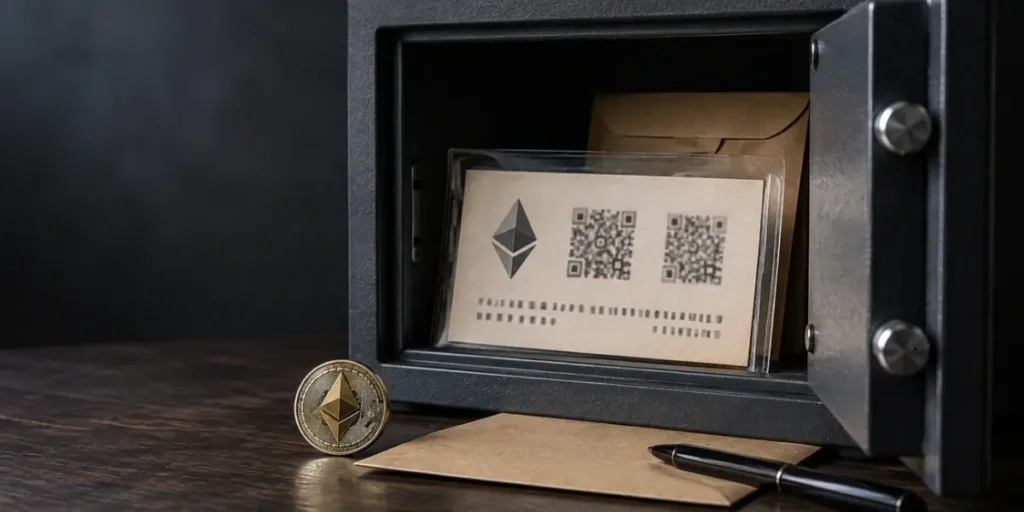
A paper wallet can keep an Ethereum private key out of reach of online hackers, but one lost sheet can mean lost access to crypto. A paper wallet is a physical document containing a public address and corresponding private key, often as QR codes, while assets remain on the blockchain rather than inside the wallet. It is cold storage because it stays offline, yet it can be damaged, stolen or lost.
This guide explains how to make a paper wallet safely, covering paper wallet cryptocurrency and paper wallet crypto risks, plus paper wallet Australia considerations. It covers offline generation, printing hazards, secure storage, receiving ETH, gas fees and moving funds to a new wallet. Paper wallets were once popular, but are now considered outdated by some providers.
What Is an Ethereum Paper Wallet?

Ethereum does not sit inside a paper wallet. The blockchain records the balance, while the wallet holds the credentials required to control that balance. An Ethereum paper wallet is a physical record of an Ethereum public address and its matching private key, often shown as both text and QR codes.
How Private Keys Control ETH Held on the Blockchain
The public address can be shared to receive ETH. The private key must remain secret because it authorises transactions from that address. Anyone who obtains a readable copy can import or sweep the key into a software wallet and move the funds. Conversely, losing the only usable copy prevents access, even though the ETH remains recorded on the Ethereum blockchain.
A paper wallet therefore provides offline key storage, not a separate form of blockchain ownership. The keys qualify as cold storage only when they have been removed from wallets or devices that connect to the internet. If the same private key remains in an online wallet, storing a printed copy does not make the account fully offline.
Paper Wallets vs Paper Backups of Seed Phrases
A paper wallet normally records one generated private key and its public address. A paper backup of a seed phrase records the recovery words produced by a compatible wallet. Those words can regenerate the wallet and its derived accounts, whereas a standalone private key normally controls one Ethereum account.
This distinction affects recovery. A seed phrase follows a recognised wallet recovery method, while a paper wallet has no equivalent standard backup process. A person creating a paper wallet cryptocurrency record may print several copies, but every additional copy creates another opportunity for theft or unauthorised viewing. For that reason, the record must be treated as the complete authority over the address.
Offline Storage Does Not Remove Every Security Risk
Disconnecting a device blocks remote access after the key has been created, but it does not guarantee safe generation. Malware could monitor the device, alter the wallet tool or capture the key while it is displayed. A printer may also retain print data, particularly when it has wireless or network features. Digital photographs, scans and temporary files create further copies that can expose the private key.
Physical security matters by the same token. Paper can be lost, stolen, damaged by water or fire, or become unreadable as ink fades. A paper wallet crypto setup also becomes exposed when its private key is imported into an internet-connected wallet for spending. These risks explain why the process for how to make a paper wallet must cover the device, printer, paper and storage location, rather than focusing only on the final printed page.
Related Article: Public Key vs Private Key: What’s the Difference and How They Work Together [2026]
How to Make a Paper Wallet for Ethereum
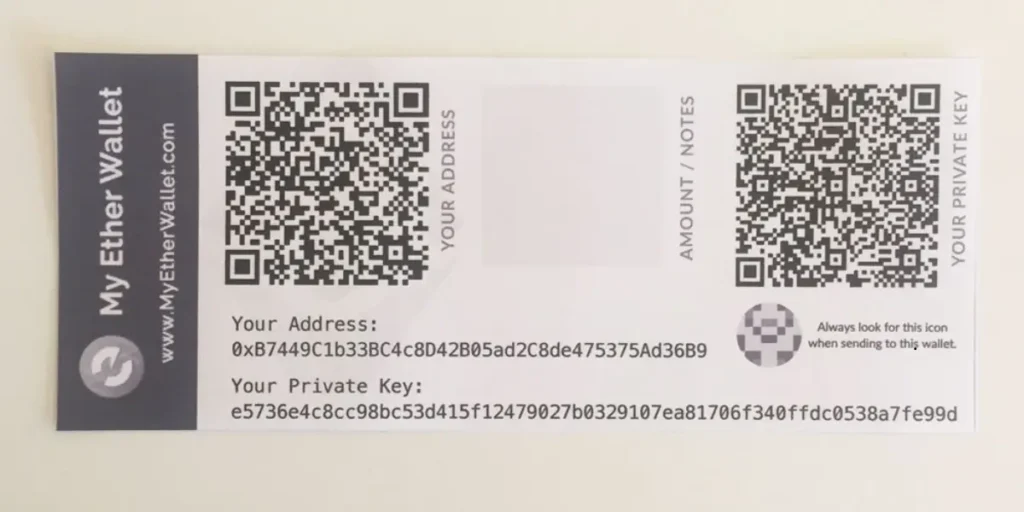
Creating a paper wallet requires control over the generator, device, printer and written record. The private key must remain offline from generation until funds are ready to be moved.
Check the Wallet Tool’s Source and Offline Support
In the first place, select a wallet generator whose code can be inspected and downloaded for offline use. A client-side, open-source tool should generate keys in the browser without sending data to a server. Download the files from the project’s recognised source, inspect the release where possible, and open them only after the device has been disconnected. Do not enter an existing private key into an unfamiliar website.
Generate a New Private Key on a Clean, Offline Device
Use a clean computer, freshly installed operating system or trusted offline environment. Disconnect Wi-Fi, Bluetooth, Ethernet and other network connections before opening the generator. Create a new key with the tool’s secure random-number function rather than choosing characters manually. Ethereum private keys contain 32 bytes of data. Generate the wallet once, then close the tool without reconnecting the device.
Record the Ethereum Address and Private Key Without Cloud Copies
Write the Ethereum address and matching private key on durable paper. A seed-based wallet may display 12 or 24 recovery words, but those words represent a recovery method rather than a single printed private key. Never photograph, screenshot, email or upload either record. Also avoid cloud storage, online notes and connected USB devices. Keep the address visible for receiving ETH, while concealing the private key.
Avoid Printer Memory, Wireless Printing and Saved Print Files
If printing, use a directly connected printer with wireless functions disabled. Networked printers may retain print jobs in internal storage, so handwriting the details on the offline device can reduce extra copies. Delete temporary PDFs, images and print queues immediately after checking the page, then remove the generator files from the device.
Recorded Key Must Match Address Before Adding ETH
Use the offline wallet tool to derive the address from the recorded private key and compare every character, including the 0x prefix. Check the QR code against the written address as well. Only after both records agree should ETH be sent to the paper wallet address.
How to Protect Your Paper Wallet from Theft and Damage
Physical protection must match the value controlled by the private key. Choose durable paper and fade-resistant, water-resistant ink, then inspect the Ethereum address and private key for smearing, gaps or poor alignment before storing the sheet.
Use Durable Paper and Fade-Resistant Ink
Protect it from moisture, sunlight, tearing and heat. A sleeve may add a barrier, but it must not obscure text or QR codes. Take care with lamination because laser-printer toner can melt during heating, especially when folded.
Keep the Private Key Hidden in Secure Storage
Keep the private key hidden in a secure, fire-resistant safe or bank safety-deposit box. Restrict access to household visitors and other unauthorised people, while retaining a way to locate the record. A hardware device in a fireproof safe offers another offline storage option, but its credentials need equal privacy.
Store Backup Copies Separately
Store backup copies separately, never in one container. Do not photograph, scan or upload a copy to cloud storage or an online note. Separate locations reduce the chance that one fire, flood or theft removes every copy. Nonetheless, each additional paper wallet crypto copy creates another physical access point, so keep only necessary copies and restrict access to each location.
How to Receive ETH and Move Funds off a Paper Wallet

Send a Small Test Transfer on the Correct Ethereum Network
Before transferring, confirm both wallets use the same Ethereum mainnet. Send a small test amount to the paper wallet’s public address, then verify the transaction hash. Funds sent on another network may not appear.
Check the Public Address Balance Without Entering the Private Key
Search the 42-character address beginning with 0x in a block explorer. It shows ETH, token holdings and transaction history without a login or private key. Check before and after the test, keeping the key fully offline.
Understand Private-Key Import and Transfer to a New Wallet
To spend, prepare a fresh wallet and verify its receive address. Importing leaves funds controlled by the old key; sweeping creates an on-chain transaction to the new wallet. Use the official wallet process offline, and never enter the key on a website.
Allow for Gas Fees and Retire the Paper Key after Online Use
Allow for gas fees. A standard ETH transfer uses 21,000 gas. Fees are paid in ETH, so token holders need ETH to transact. Review the estimate as demand changes costs. Once the key enters software, a camera or clipboard, treat it as exposed. Move funds to the new wallet and retire the paper address permanently.
Conclusion – Paper Wallet
An Ethereum paper wallet can provide genuinely offline key storage, but only when its private key is generated, recorded and protected with care. The safest process avoids networked tools, limits physical copies and checks every address before funds arrive. Public explorers help monitor balances without exposing the key, while sweeping to a fresh wallet requires gas and retires the old address. Although paper wallets remain simple, their risks demand disciplined storage and recovery planning.
You May Also Be Interested In: How to Start Ethereum Staking: A Plain Guide for Beginners in 2026
Is an Ethereum paper wallet safe to use?
It can keep your private key offline, but it is still vulnerable to theft, loss, damage and unsafe key generation. Anyone with a readable copy of the private key can move your funds.
How can I store an Ethereum paper wallet securely?
Use durable paper and fade-resistant ink, and keep it in a secure, fire-resistant safe or bank safety-deposit box. Store necessary backups separately and avoid photos, scans or cloud copies.
How do I create an Ethereum paper wallet offline?
Use a trusted, downloadable wallet generator on a clean, disconnected device. Record the new private key and public address, then verify they match before sending any ETH.
Can I check my paper wallet’s balance without exposing its private key?
Yes. Search your public Ethereum address in a block explorer to view its balance and transaction history. You do not need to enter your private key.
How do I transfer ETH from a paper wallet?
Use a trusted wallet’s official process to access the key and transfer funds to a fresh wallet, allowing for gas fees paid in ETH. Once the key has been exposed to internet-connected software, retire the old paper wallet.